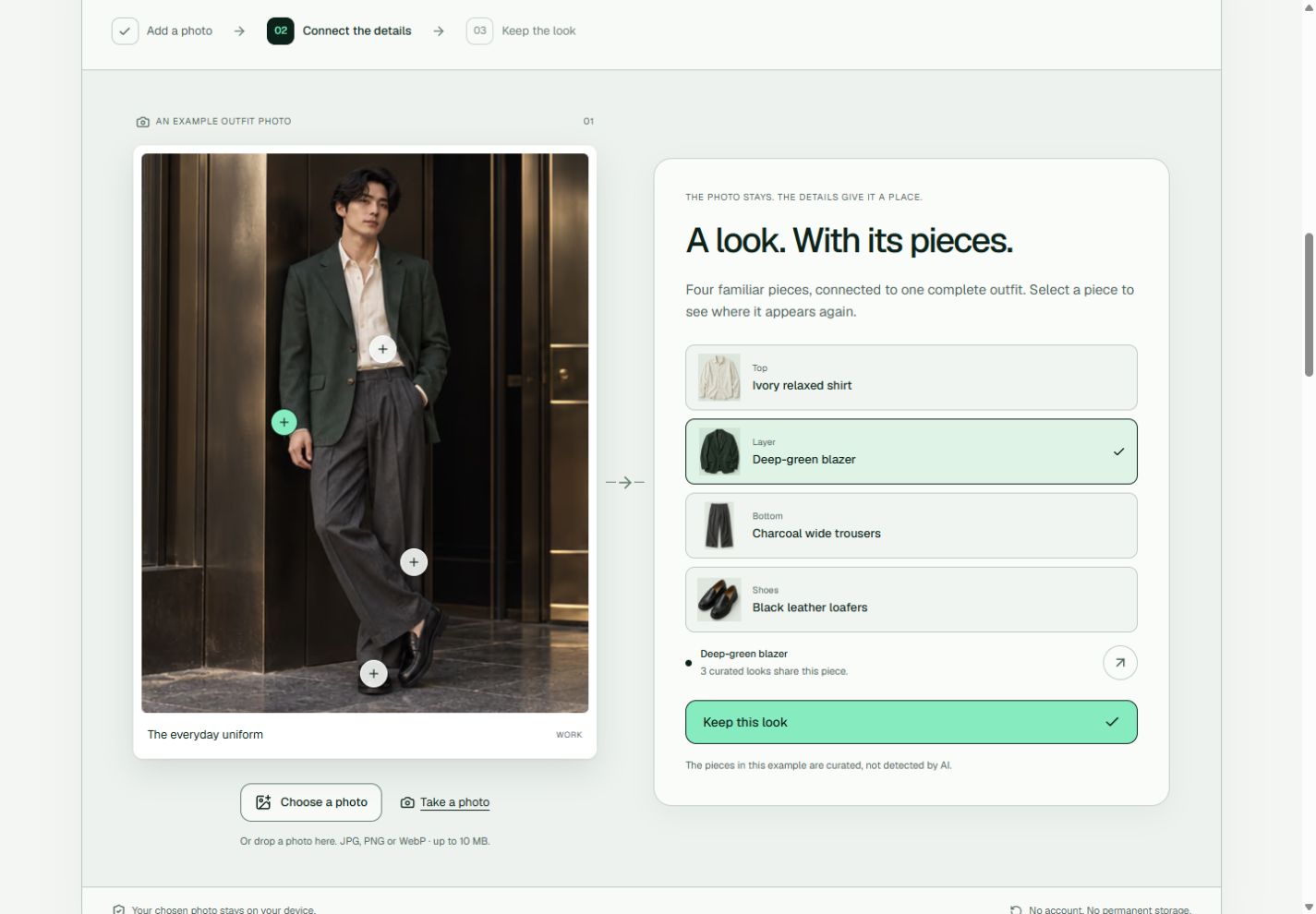
Closet starts with the outfit you already loved wearing. Here is how the working studio brings that photo into a digital collection, and what we are building next.
Actual website capture, 9 October 2026. The outfit uses a fictional adult model and AI-created concept imagery. Its garment links are curated; they are not detected from a visitor’s photo.
One outfit. Three small steps.
01 / Start with a photo
A look you want to remember.
Choose or drop a JPG, PNG or WebP, or begin with a curated outfit. Your chosen photo is prepared and previewed inside your browser.
02 / Give it context
The details that make it yours.
Name your look, choose an occasion and add a few details by hand. In the curated examples, select a garment to see where it appears in other outfits.
03 / Keep the whole look
Find it again in your collection.
Save it, search by name or detail, and explore the collection. Remove a saved look or undo a removal. Photos and changes clear when you refresh, leave or reset the page.
This is a working browser prototype. No account, server upload or Claude request is involved. Personal wardrobe storage and the assistant are still being built.
Development journal
What has changed.
Notes by Gan Zhi Yang. This public journal began on 10 October 2026; the earlier release below is recorded from our development history.
A clearer view of the product and its founder.
Added this walkthrough and release journal, a direct founder email and a professional profile link. The main action now opens the working photo studio while early-access collection remains closed. About and Contact now explain who operates Closet and its current status as an unregistered, bootstrapped product in Malaysia.
The photo-to-look studio is live.
Introduced the three-step photo studio: choose a photo, add details and keep the look. Personal photos now join the same searchable collection as the curated examples during the current page session. Garment selections connect a complete outfit with its individual pieces; saving, removal, undo and reset work across the collection.
Next in development
A wardrobe you can return to.
The next step is account storage with clear controls for personal photos. We plan to test Claude suggestions using saved garment details, an occasion and preferences, checking that every suggested piece belongs to the wardrobe. Neither feature is available yet; there is no announced launch date.